


40% of fleet operators rate their concern about fuel prices at 10 out of 10, according to a survey we ran in April 2026. The number one thing they’re doing about it? Tracking fuel spend more closely.
Adopting a fuel card with spend oversights is one way that’s made easier. Here’s how fuel cards work to make fueling up easier, more cost effective, and more controlled.
Key takeaways
- Fuel cards support day-to-day fleet operations, not just payments. Fuel cards connect drivers, vehicles, and transactions into a single system, making it easier to manage fuel and vehicle spending without relying on paper receipts or manual tracking.
- Fuel cards give operations and finance better control of and visibility into fleet spending. Spending rules apply at the point of purchase, and the transaction data flows into a central dashboard in real time. This helps managers spot patterns, catch issues early, and adjust policies as fleet needs change.
- Fuel cards simplify reporting and compliance. These cards automatically collect detailed transaction records, which support forecasting, budgeting, audits, and tax reporting.
- Coast combines open-network access with fleet-level visibility. Coast runs on the Visa network and works anywhere Visa is accepted. It lets drivers pay for fuel and approved fleet expenses, while giving managers a clear view of how funds are spent across the fleet.
Fuel cards: A brief explanation
Fuel cards are specialized payment cards for businesses that use vehicles as part of their work. Instead of using personal or business credit cards, drivers use fuel cards to pay for fuel, including gasoline, diesel, and, in some cases, DEF.
Despite the name, some fuel cards also support electric vehicle (EV) charging and other vehicle-related expenses, including maintenance, car washes, oil changes, tire rotations, parking, and tolls. However, this varies by card issuer.
Modern fuel cards, such as Coast, are typically part of a broader fleet management system that automatically captures transaction data and gives businesses a centralized view of fleet spending.
Related read: What is a fleet card?
How does a company fuel card work for fleet managers & operators?
Once fuel cards are issued, they become part of how fleet operations run day-to-day. Using Coast as an example, here’s what using and managing them looks like:
1. Cards are issued and assigned
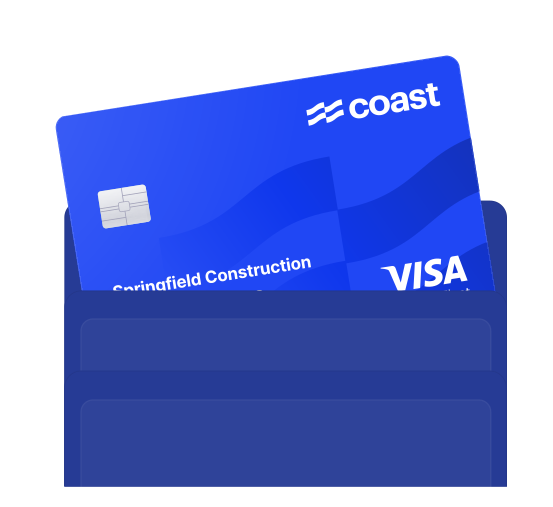
Managers can order back-up physical Coast cards or issue virtual cards instantly, so drivers don’t have to wait too long for access. Rather than printing a driver’s name on each card, Coast issues cards under the company name with a unique Card ID.
This allows managers to assign or reassign cards to specific drivers or vehicles through the online portal, which is especially useful when vehicles are shared, shifts rotate, or drivers change frequently.
2. Fleet managers set rules and policies around use
Once cards are issued, fleet managers use the Coast Manager Portal to set clear spending rules that apply automatically at the point of purchase. These rules include:
- Merchant category restrictions: Limit purchases to fuel only, or expand to include other fleet expenses such as maintenance, car washes, tolls, parking, and even supplies or equipment.
- Time and volume limits: Set daily, weekly, or monthly dollar caps and restrict usage to specific days or hours. For example, a manager can allow card use only on weekdays from 8 am to 5 pm, with a $500 weekly limit.
- Security protocols: Require drivers to complete an SMS or app check-in at the pump by entering details like their vehicle ID and odometer readings before a transaction is approved. This helps reduce unauthorized purchases and keeps spending aligned with company policy.
Note: Managers can integrate Coast with telematics/GPS platforms like Samsara and Geotab, which enables the system to verify that the vehicle is at the same location as the merchant at the time of purchase. If it’s not, Coast can flag or decline the transaction instantly.
The Fleet Savings Playbook puts specific numbers to each of those savings categories.
3. As drivers use them, you see real-time transaction flow
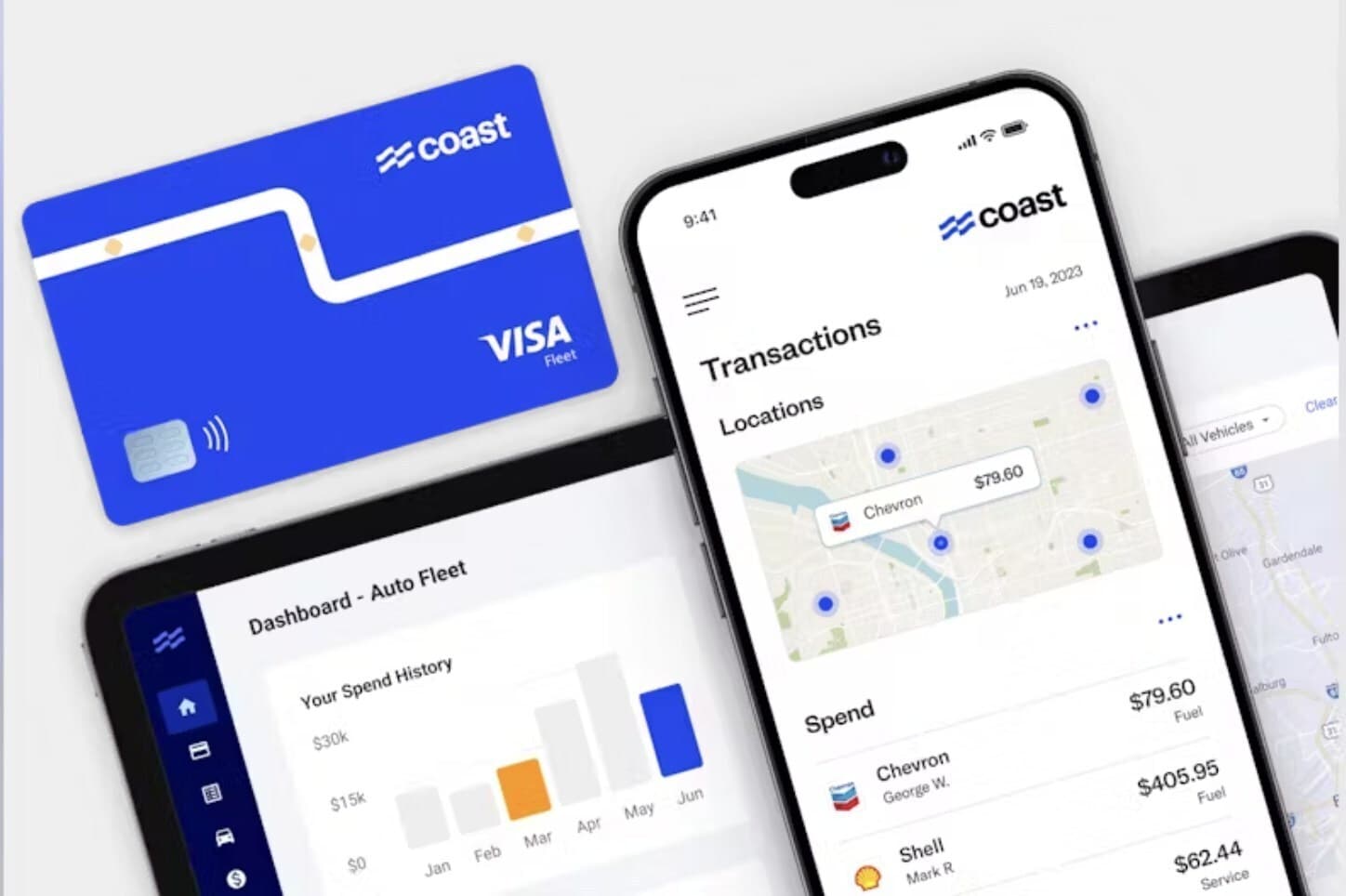
When a driver uses a Coast card, the system automatically captures the transaction data and displays it in a centralized dashboard. There, managers can view line-item details for each purchase, including fuel grade, gallons pumped, price per gallon, total cost, and merchant location.
Because this information is collected in real time, managers can see how funds are spent across the fleet each day and adjust card rules as needed, rather than discovering issues weeks later.
This automatic tracking also eliminates the need for paper receipts and manual mileage logs, which saves time and reduces back-and-forth during month-end reviews.
The Coast Dashboard generates reports and monitors performanceAs transactions flow into Coast, the system generates reports that help managers review spending and vehicle performance across the fleet. These reports typically cover:
- Exceptions: These flag issues, such as unusual odometer readings, incorrect fuel types, or missing information, enabling managers to spot inefficient vehicles and fueling patterns that fall outside company policy.
- Performance metrics: Coast calculates miles per gallon (MPG) and cost-per-mile by vehicle, so managers can compare performance across the fleet, identify vehicles that drive up costs, and make informed decisions about maintenance, routing, or replacement.
- IFTA readiness: Coast organizes fuel and mileage data to support International Fuel Tax Agreement reporting. This reduces manual data entry and makes it easier to prepare filings and stay compliant across jurisdictions.
4. Month-end closes seamlessly and makes you audit ready
Coast simplifies month-end close by automating many administrative tasks that typically slow teams down. Here’s how:
- Automated reconciliation: Coast integrates with accounting software such as QuickBooks Online, NetSuite, and Sage Intacct, which automatically sync transactions and categorizes them using merchant codes or custom job fields.
- Digital receipt collection: Drivers can upload photos of receipts immediately after purchase via Coast’s mobile app. Coast then attaches each receipt to the correct transaction, so nothing gets lost or mismatched.
- Audit readiness: Coast stores all transaction data, including transaction details and driver check-in logs. This creates a clear paper trail that supports internal reviews, audits, and tax reporting.
With fuel cards you can manage:
Spend patterns
Fuel cards help you control spending by setting clear rules before purchases happen. Instead of reviewing charges after the fact, you can limit where cards work, what they can be used for, and how much can be spent. This helps reduce unauthorized purchases and prevent card misuse.
Because every transaction is recorded automatically, you can see spending patterns across drivers and vehicles. This helps you identify which vehicles cost more to operate, spot unusual fueling activity, and catch issues early. With this visibility, you can adjust limits or policies to keep fuel spend consistent and aligned with the company’s budget.
Forecasting and budgeting
Fuel cards give you the data you need to plan ahead. Because fuel and vehicle expenses are captured consistently, you can see what it actually costs to run each vehicle, not just in fuel but across other vehicle-related expenses as well.
With that information, you can calculate the total cost of ownership for each vehicle and across the fleet. You can track how costs change month-to-month, account for seasonal swings, and identify vehicles that are becoming more expensive to operate.
This helps you forecast how much you’ll need to keep the fleet running, so you can set an accurate budget.
Policy compliance
Card controls help you enforce company spending rules automatically at the point of sale. For instance, if your policy forbids fueling on weekends or purchasing premium gasoline, the card will decline those transactions at the pump. This ensures drivers adhere to company policy without requiring you to oversee each purchase.
Beyond internal rules, fuel cards also support external compliance by keeping fuel and vehicle spending organized, documented, and easy to review. Platforms like Coast store transaction details, driver check-in data, and digital receipts in one place, making it easier to prepare for audits, respond to internal reviews, and support tax reporting.
How do fuel cards work for employees and drivers?
Using Coast as an example, here’s how fuel cards typically work from a driver’s point of view.
1. Pre-fueling
Once a Coast card is issued and assigned to a specific driver, they can begin using it right away. For security, Coast cards are typically locked by default, so when a driver arrives at a gas station to refuel, they must first activate the card before making a purchase.
To do so, the driver texts the Card ID printed on the front of the card to Coast’s authorization number. Coast then prompts the driver by SMS to enter a few required details, such as:
- Vehicle ID or license plate
- Odometer reading
- Receipts, job codes or memos (if required by the manager)
After the system verifies this information, it unlocks the card and allows the transaction to proceed. This process helps ensure the card is used by the correct driver for the correct vehicle.
Note: Coast is an open-network fuel card that runs on the Visa network. This means drivers can use it at any gas station or auto service location that accepts Visa. By contrast, closed-network fuel cards work only at specific stations, which can limit where drivers refuel.
2. At the pump
At the pump, the driver swipes the Coast card as they would a standard credit card. The terminal may prompt them to enter their driver ID and the vehicle’s odometer reading before the transaction continues.
Once the driver provides those details, the system then checks the purchase against the card’s rules. If the transaction falls within the approved limits (e.g., the correct time window and spending cap), it goes through immediately. But if it falls outside policy (e.g., attempting to purchase premium fuel when only regular is allowed), the card declines the transaction.
These same prompts and controls apply if a driver is authorized to use the card for non-fuel expenses, like a car wash or emergency repairs.
3. Post-fueling
Once the transaction is complete, Coast automatically captures all essential data and sends it to a centralized dashboard for managers to review. This data includes:
- The exact time and date of the purchase
- The station’s location and brand
- The type and amount of fuel purchased
- The price per gallon and total cost
- The vehicle’s odometer reading
If required, drivers can take a photo of the physical receipt and upload it through the Coast mobile app. This eliminates the need to keep paper receipts or submit them at the end of a shift.
Each receipt is automatically linked to the correct transaction, which simplifies bookkeeping, supports audits, and reduces administrative work for back-office teams.
Coast: The fuel card that gives you control over fleet expenses
Coast is built for how modern fleets operate. It’s an open-network fuel card that runs on the Visa network, which means drivers can use it anywhere Visa is accepted, without being limited to specific fuel brands or locations.
In addition to fuel, Coast supports a wide range of fleet and driver expenses, including maintenance, car washes, tire rotations, oil changes, parking, tolls, hotels, meals, supplies, and equipment.
Managers control which expenses are allowed, while every approved transaction flows into a centralized fleet management dashboard in real time. There, managers get a clear view of spending across drivers and vehicles, which supports better operational decisions, forecasts, and budgets.
Coast also offers rebates of 3¢–9¢ per gallon at over 30,000 partner stations, along with 1% cash back on non-fuel expenses.
If you’re ready to manage fleet spending with more visibility and control, you can apply for Coast today.
FAQs
1. Can fuel cards be used for maintenance?
Yes, many fuel cards can be used for maintenance, depending on how the card is set up. In addition to fuel, these cards may cover expenses such as oil changes, tire rotations, repairs, car washes, tolls, parking, and EV charging.
Managers control which categories are allowed, so maintenance spending stays visible, documented, and tied to the correct vehicle.
2. How long does it take to set up fuel cards?
Setup time varies by provider, but modern fuel cards are generally much faster than legacy programs. Many platforms, including Coast, allow companies to issue virtual cards instantly, so drivers can start using them the same day.
Physical cards usually arrive within a few business days. Most of the setup involves assigning cards and setting spending rules, which can often be done in minutes.
3. Where can fuel cards be used?
Where a fuel card works depends on the type of network it uses. Open-network fuel cards run on major payment networks like Visa or Mastercard, so drivers can refuel at most stations they come across. Closed-network cards, however, are limited to specific fuel brands or locations.
Because open-network cards are not tied to a single brand, drivers can refuel more easily when routes change, jobs take longer than planned, or work takes them into unfamiliar areas.
4. Who can use fuel cards?
Fuel cards are used by businesses that operate fleets of vehicles in their daily operations. This includes transportation and logistics providers, delivery companies, construction and trades businesses, HVAC and solar installers, utilities, emergency services (ambulances, fire trucks), and government fleets.
5. Are fuel cards only for large fleets?
No. Fuel cards are often associated with large fleets, but they’re just as useful for small and mid-sized businesses.
Even with a handful of vehicles, fuel costs add up quickly and become harder to track as activity increases. Fuel cards help smaller fleets introduce structure early, without increasing administrative work or changing how drivers refuel.